Auto Repair Shop Website Guide

Auto repair is one of the industries where trust matters most. Car owners are often anxious about being overcharged, getting unnecessary repairs, or dealing with dishonest mechanics. Your website needs to directly address these concerns by projecting transparency, professionalism, and competence from the very first page load.
A well-built auto repair website does more than list your services. It builds the trust that gets someone to pick up the phone and schedule an appointment rather than continuing to scroll through competitors. Here is how to build a mechanic shop website that actually generates business.
Homepage Essentials
Your homepage needs to immediately answer three questions: what services do you offer, where are you located, and why should someone trust you? Lead with a clear headline like "Honest Auto Repair in [City Name] Since [Year]." Follow it with a brief list of your core services, your address, hours, and a prominent phone number with a click-to-call link for mobile users.
Feature your strongest trust signals above the fold. If you are ASE-certified, AAA-approved, or have a strong Google review rating, display those prominently. These credentials are especially important in auto repair because they directly address the trust issue that drives customer decisions in your industry.
Service Pages That Build Confidence
Create individual pages for each major service category: oil changes, brake repair, engine diagnostics, transmission service, tire services, AC repair, and any other significant offerings. Each page should explain what the service involves, when a customer might need it, and what they can expect during the process.
Be transparent about pricing where possible. Auto repair has a reputation for surprise charges, so anything you can do to set expectations upfront works in your favor. Even stating "Oil changes start at $39.95" or "We provide a detailed estimate before beginning any repair" builds confidence that you operate honestly.
Include vehicle makes and models you specialize in if applicable. If you focus on European imports, Japanese vehicles, or domestic trucks, say so clearly. Specialization can be a strong differentiator and helps you rank for more specific search terms.
Trust and Transparency
The auto repair industry has earned a reputation for dishonesty, fair or not. Your website needs to actively combat this perception with specific trust elements.
Certifications and credentials. Display ASE certifications, manufacturer training completions, AAA approval, and any state-specific licenses prominently. Include the actual certification numbers or badges. These are not just decorative; they tell customers your technicians have been tested and verified by independent organizations.

Warranty information. Clearly explain your warranty policy on parts and labor. A 12-month/12,000-mile warranty on repairs is industry standard and should be featured on your website. If you offer a longer warranty, that is a significant competitive advantage worth highlighting.
Your inspection and estimate process. Explain how you diagnose problems and present estimates. Do you use digital vehicle inspections with photos? Do you call the customer with findings before doing any work? Do you provide written estimates? These process details directly address the anxiety customers feel about being sold unnecessary repairs.
Customer reviews. Feature reviews that specifically mention honesty, fair pricing, and quality work. A review that says "They showed me exactly what was wrong and only fixed what needed fixing" is enormously valuable for an auto shop. Display these reviews on your homepage, service pages, and a dedicated testimonials page.
Photos That Sell
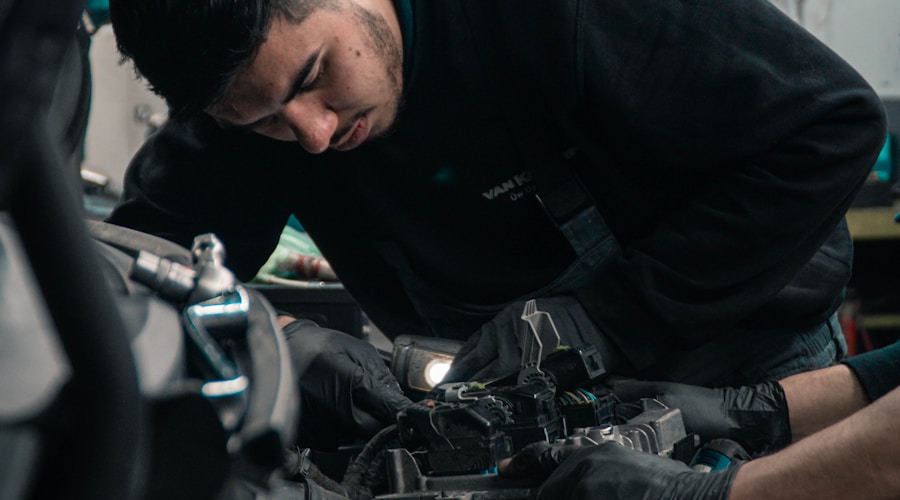
Auto repair shops have a visual advantage if they use it. Show your clean, well-organized shop. Feature your team in uniform with name tags. Include photos of your equipment, especially any specialty diagnostic tools or equipment that sets you apart. Before-and-after photos of repairs help customers understand the value of the work being done.
Avoid stock photos entirely. A generic stock photo of a wrench on an engine tells the customer nothing. A real photo of your actual technician working on a vehicle in your actual shop tells them you are a real, operating business with a physical presence and real employees.
Online Appointment Scheduling
More customers prefer booking online than calling. If you can offer online appointment scheduling, it removes friction from the conversion process. An appointment form should ask for the customer's name, phone number, vehicle year/make/model, the type of service needed, and their preferred date and time. Keep it simple and send a confirmation immediately.
If full online scheduling is not feasible, at minimum provide a contact form that makes it easy for customers to request an appointment. Include vehicle information fields so your team can prepare before calling the customer back.
Local SEO for Auto Shops
Auto repair is one of the most competitive local search categories. Optimize your Google Business Profile with accurate categories (Auto Repair Shop, Oil Change Service, Brake Shop, etc.), upload photos of your shop and work regularly, and actively generate customer reviews. Most car owners search on their phones when they need a mechanic, so mobile optimization and local search visibility are essential.
Create location-specific content if you serve customers from multiple nearby cities. An auto repair shop in a suburb should have content mentioning the surrounding cities where customers might be searching from. List the specific makes and models you service on your Google profile and website to capture more specific searches.
Content Ideas for Auto Repair Websites
Educational content positions your shop as a trustworthy resource. Write about common maintenance schedules, signs of common problems (brake noise, engine warning lights, fluid leaks), and seasonal vehicle care tips. This content attracts organic traffic and demonstrates your expertise to potential customers who are researching problems before choosing a shop.
FAQ pages addressing common customer questions about pricing, timelines, warranties, and payment options reduce anxiety and can rank for question-based searches. Address the questions you hear most often in your shop, because those are the same questions people are typing into Google.