Homepage Mistakes Small Businesses Make

Your homepage is the most visited page on your website and the one that makes or breaks a first impression. For most small businesses, it is also the page that needs the most work. The mistakes business owners make on their homepages are remarkably consistent, and fixing them can dramatically improve how many visitors become customers.
Here are the most common homepage mistakes we see on small business websites, along with specific guidance on how to fix each one.
Mistake 1: No Clear Headline
The biggest problem with most small business homepages is that visitors cannot immediately tell what the business does or where it operates. Instead of a clear statement like "Licensed Plumbing Services in Austin, Texas," the homepage leads with the company name, a vague tagline like "Quality You Can Trust," or worse, nothing at all.
Your headline is the first thing people read. It needs to answer three questions in about ten words: What do you do? Where do you do it? Why should someone choose you? This is not the place for creativity. Clarity beats cleverness every time. A visitor who lands on your homepage should know within two seconds whether they are in the right place.

Mistake 2: Image Sliders and Carousels
Image sliders were a web design trend that peaked around 2012, and they refuse to die. Study after study has shown that visitors almost never interact with slides beyond the first one. Meanwhile, sliders slow down your page load time, create confusing user experiences on mobile, and dilute your message by trying to say everything at once.
Replace your slider with a single, strong hero image and a clear headline. One powerful message is always more effective than five weak ones cycling by at random intervals. Your homepage should have one primary message and one primary call to action above the fold.
Mistake 3: Missing or Buried Contact Information
If someone has to scroll or click to find your phone number, you are losing calls. Your phone number should be visible in the header of every page, but it is especially critical on the homepage. For mobile visitors, it should be a tap-to-call link. Your service area or address should also be immediately visible, not hidden on a separate contact page.
Many businesses put their phone number only in the footer, and some only on their contact page. This is a conversion killer. Every second a visitor spends looking for how to reach you is a second they might decide to hit the back button and try a competitor instead.
Mistake 4: Wall of Text
Your homepage is not the place to tell your entire company history. Long paragraphs of unbroken text overwhelm visitors and get skipped entirely. People do not read web pages line by line; they scan them. If your homepage looks like an essay, most visitors will bounce before absorbing any of it.
Use short paragraphs, clear headings, bullet points, and visual breaks. Present information in scannable chunks. Lead with the most important information and save the details for internal pages. Your homepage should give visitors enough to understand your value and take action, not enough to write a biography.
Mistake 5: No Clear Call to Action
Every homepage needs a primary call to action that tells visitors exactly what to do next. "Call for a Free Estimate," "Schedule Your Service," or "Get a Quote Today" are clear and direct. Having no call to action, or having too many competing ones, leaves visitors without direction.
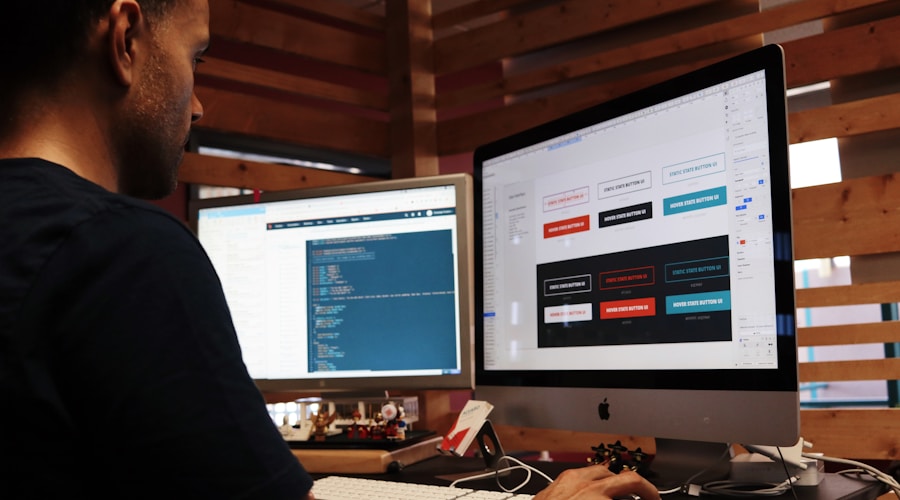
Your primary call to action should appear above the fold and be repeated at least once more further down the page. Make it a button that stands out visually from the rest of the page. If your main goal is phone calls, make the phone number the most prominent element. If you prefer form submissions, feature that form prominently.
Mistake 6: Stock Photos Instead of Real Ones
Visitors can spot stock photography instantly. A generic image of people in suits shaking hands or a perfect model family standing in front of a pristine house does nothing for your credibility. If anything, it signals that the business is not confident enough to show its real work.
Use actual photos of your team, your work, your vehicles, and your customers (with permission). Real images build trust in a way that stock photos never can. They do not need to be shot by a professional photographer, but they do need to be clear, well-lit, and relevant to your business.
Mistake 7: Auto-Playing Media
Auto-playing videos and music were annoying in 2005, and they are still annoying today. They slow down page loading, consume mobile data, and startle visitors who are browsing in quiet environments. If you have a great video, make it available but let visitors choose to play it. Never auto-play anything.
Mistake 8: Ignoring Mobile
This is 2026. More than half of your visitors are on mobile devices, and for local service businesses that number can be 60 to 70 percent. If your homepage is not designed for mobile first, you are providing a poor experience to the majority of your audience. Tiny text, horizontal scrolling, buttons too small to tap, and images that overflow the screen are all common problems.
Test your homepage on your phone right now. Try to complete the most common visitor tasks: find your phone number, understand what you do, and contact you. If any of those steps are frustrating on mobile, fixing them should be your top priority.
Mistake 9: Too Many Menu Items
Navigation menus with 15 or more items overwhelm visitors. When everything is highlighted, nothing is. A cluttered menu makes it harder for people to find what they actually need and creates a sense of disorganization. Aim for five to seven main navigation items. Use dropdowns sparingly and only when they genuinely help users find content.
Mistake 10: No Social Proof
Your homepage should feature customer reviews, ratings, or testimonials prominently. Social proof is one of the strongest conversion factors for local businesses. A homepage without any reviews or trust signals feels empty and unproven. Even two or three strong testimonials placed strategically on your homepage can significantly increase inquiry rates.
The Fix Is Usually Simple
Most of these mistakes are straightforward to correct. You do not need a complete redesign to improve your homepage. Start with the highest-impact items: add a clear headline, make your phone number prominent, replace stock photos with real ones, and add a strong call to action. Those four changes alone can transform your homepage from a passive brochure into an active lead generator.